
Build vs Buy Software: Which Is Right for Your Business?
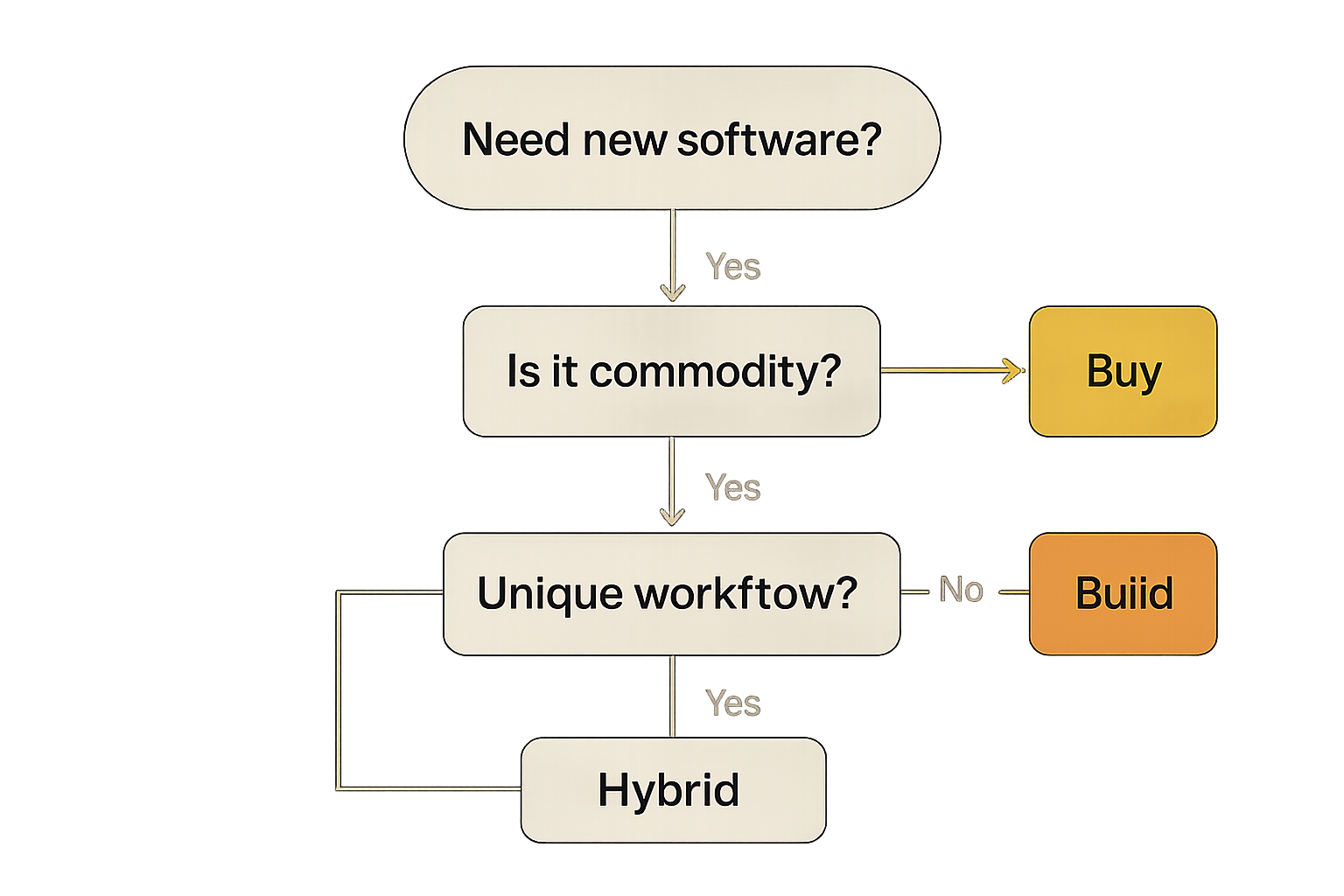
Every growing organization eventually asks the same question: should we buy an off-the-shelf tool or invest in custom software development? Choosing the wrong path creates recurring costs, process friction, and limits to growth that are costly to fix later. We usually see the decision hinge on integrations, unique workflows, and long-term ownership — not just sticker price.
This article frames the build vs buy software decision for leaders and operators. It compares tradeoffs, shows when buying or building makes sense, lists hidden costs many teams miss, and outlines a practical hybrid approach so your choice aligns with strategy and ROI.
What Does Buying Software Mean?
Buying software typically refers to adopting off-the-shelf products or SaaS platforms. These vendors provide packaged features, hosting, and support so you can get started quickly.
Common examples and where they fit
- Salesforce, HubSpot — CRMs with extensive ecosystems
- QuickBooks — small-business accounting
- Monday.com, ClickUp — project and task management
- Zendesk — customer support ticketing
Benefits of buying
- Faster deployment: You can be productive in days or weeks.
- Lower upfront cost: Subscription pricing avoids large initial development budgets.
- Vendor support and maintenance: Updates, security patches, and hosting are handled by the provider.
- Predictable feature roadmap: You get new features without internal development work.
Drawbacks of buying
- Ongoing subscription fees that scale with users or usage.
- Limited customization: Workflows often must adapt to the product.
- Vendor lock-in: Moving data or workflows away can be costly and time-consuming.
- Integration limits: Some SaaS tools expose restricted APIs or charge extra for integrations.
When teams buy, they trade implementation speed and predictability for reduced ownership and flexibility.
What Does Building Software Mean?
Building means commissioning custom software tailored to your business needs. That can be a customer portal, internal dashboard, custom CRM, inventory system, or workflow automation platform.
Typical custom projects
- Customer portals that expose specific reports or billing flows
- Internal dashboards consolidating multiple data sources
- Custom CRMs built for industry-specific sales cycles
- Scheduling or dispatch systems with complex business rules
- Inventory and order management tailored to unique SKUs
- Workflow automation that replaces manual handoffs
Benefits of building
- Control and ownership: You decide features, data models, and timelines.
- Tailored integrations: Build direct API connections to your systems and vendors.
- Competitive differentiation: Custom flows or reporting can be a business advantage.
- Long-term cost control: No per-user SaaS fees if usage scales dramatically.
Drawbacks of building
- Higher upfront investment: Development, design, and product discovery cost money.
- Longer time to value: Even a focused MVP usually takes weeks to months.
- Ongoing maintenance: You own hosting, support, security updates, and technical debt.
- Product risk: You must prioritize features, QA, and user adoption yourself.
We advise considering not only build cost but also team bandwidth, expected lifespan of the solution, and the opportunity cost of delayed delivery.
When Buying Software Makes Sense
Buying is often preferable when a commodity business need is well served by mature vendors and customization would add minimal incremental value.
Common scenarios where buying is the right choice:
- Accounting and payroll: Tools like QuickBooks or ADP cover compliance and bookkeeping details most businesses shouldn't reimplement.
- Email marketing and CRM basics: HubSpot or Mailchimp provide deliverability, templates, and analytics that are expensive to build and maintain.
- Team communication: Slack or Microsoft Teams are standards that reduce friction between partners and contractors.
- Basic project management: If your team needs standard task tracking, a SaaS PM tool gets you productive quickly.
Real-world example: A 30-person services firm needs invoicing, time tracking, and basic reporting. Buying a SaaS suite integrates with their bank and invoicing needs, gets them live in days, and frees internal resources for client work.
When buying, focus on fit: ensure the vendor's integration capabilities, security posture, and pricing model align with your growth plans.
When Building Software Makes Sense
Building becomes the better path when your workflows, integrations, or data needs diverge from what off-the-shelf tools can support without heavy compromises.
Build when:
- You have unique workflows that determine competitive advantage.
- Teams waste significant time manually moving data between systems.
- Licensing or per-user fees make SaaS prohibitively expensive at scale.
- You require specialized security, compliance, or data residency controls.
- Multiple systems must be stitched together with orchestrated automations and custom reporting.
Real-world trigger: If your operations rely on five different tools and manual spreadsheets to reconcile work every day, the productivity losses often justify a custom automation layer or portal.
Building can be staged. Start with a minimum viable product (MVP) that solves the highest-cost process, then iterate. That limits upfront spend while validating value.
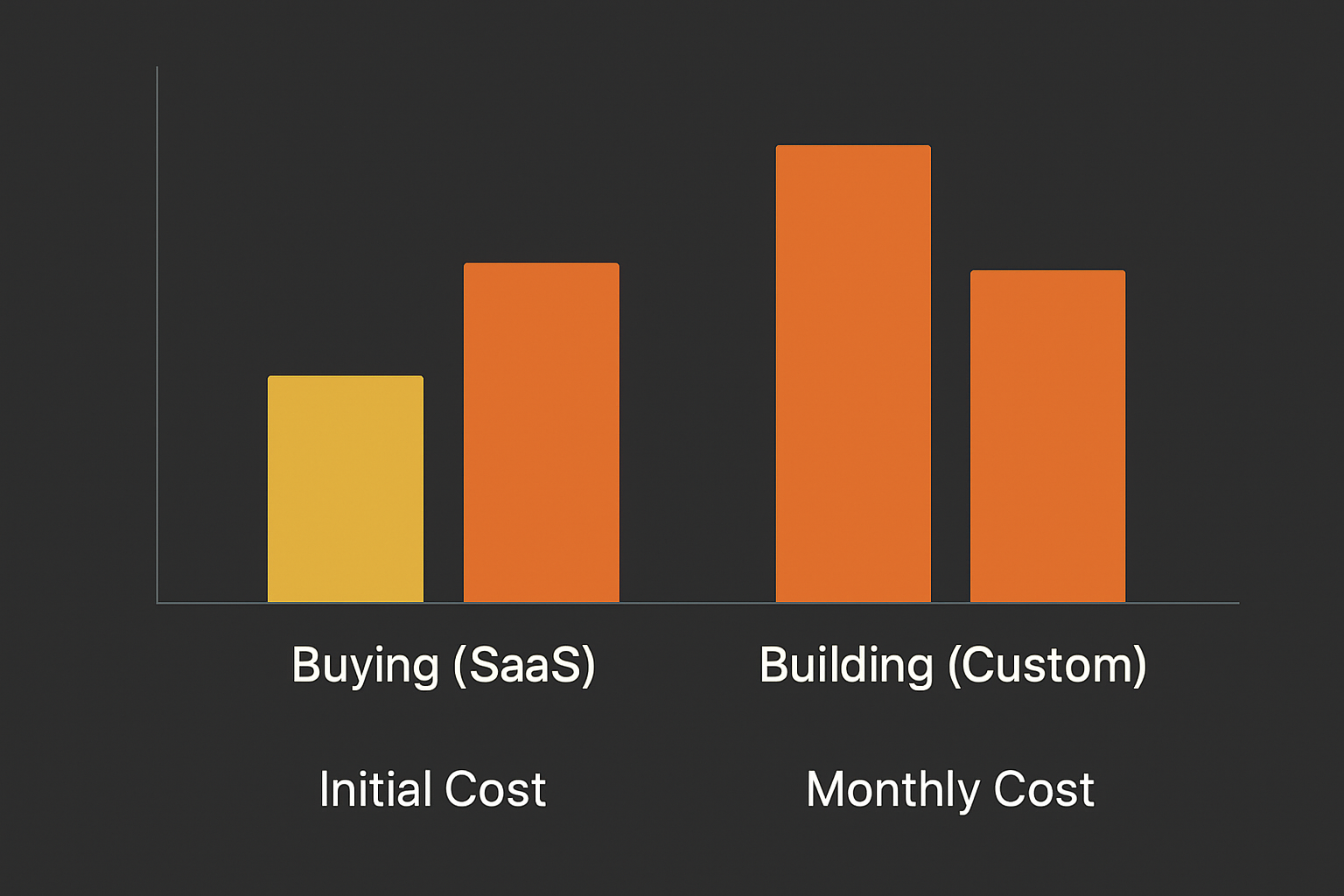
Cost Comparison
| Category | Buying (SaaS) | Building (Custom) |
|---|---|---|
| Initial cost | Low — subscription setup | High — discovery + development |
| Monthly cost | Medium — per-user or usage fees | Low/Medium — hosting + maintenance |
| Flexibility | Limited by vendor | High — tailored to needs |
| Ownership | No — vendor controls roadmap | Yes — full control of IP |
| Scalability | Depends on vendor pricing | Depends on architecture |
| Integration capability | Varies; some have rich APIs | High — build specific connectors |
| Competitive advantage | Low-to-medium | Medium-to-high |
Summary: Buying lowers initial cost and time-to-value but limits flexibility and long-term ownership. Building requires larger upfront investment but offers higher control, tailored integrations, and potential cost advantages at scale.
Hidden Costs Businesses Often Overlook
Decision-makers often focus on headline price but miss recurring or transition costs:
- Employee training and onboarding time when switching systems.
- Vendor price increases or changed licensing terms.
- Data migration costs and the risk of losing historical fidelity.
- Integration limits that require manual workarounds or connectors with fees.
- Feature restrictions that force parallel systems or manual processes.
- Ongoing product maintenance, security updates, and hosting for custom builds.
We usually recommend adding a 10–25% contingency for migration, training, and integration work when modeling ROI for either option.
The Hybrid Approach
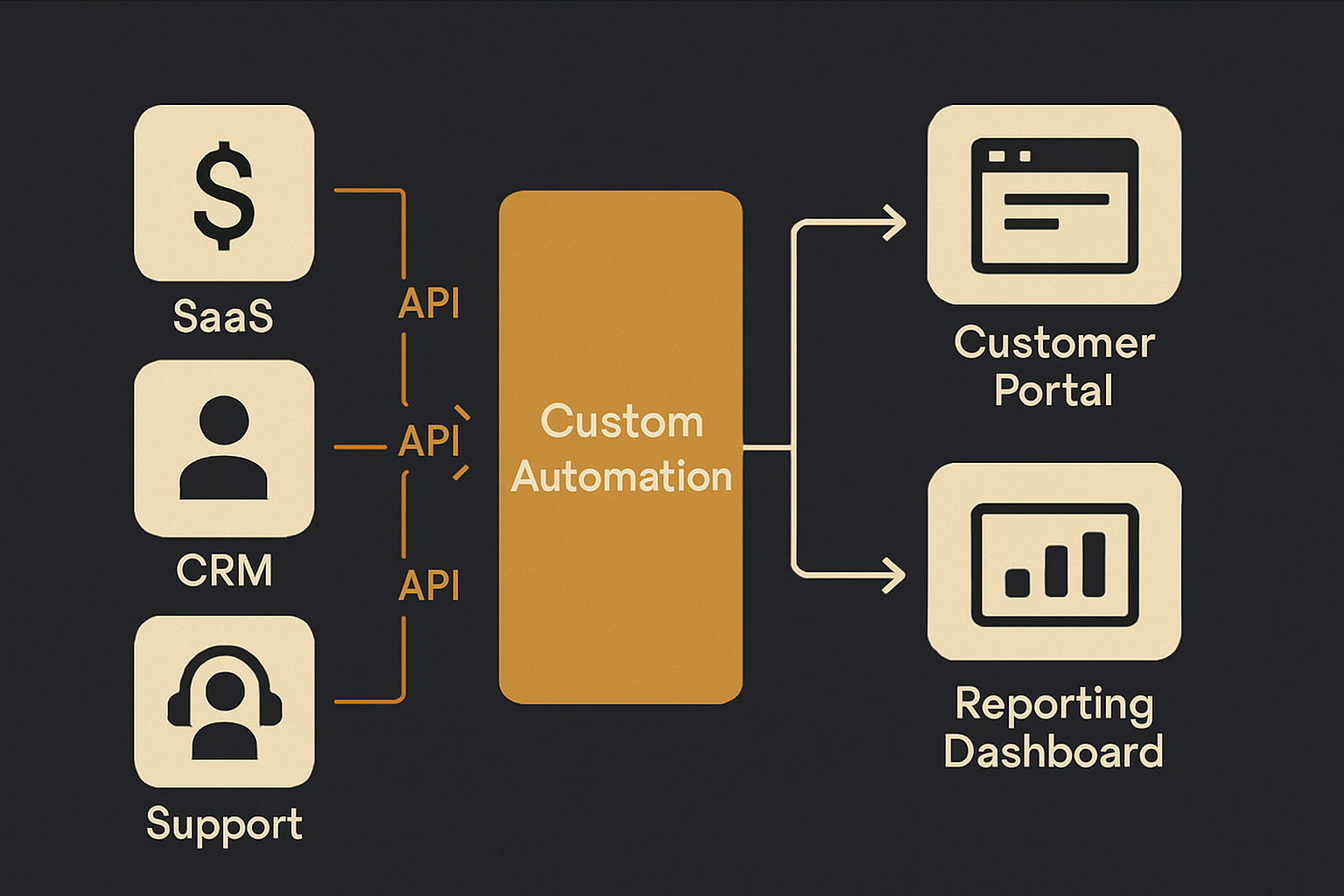
Many businesses use both buy and build. The hybrid model balances speed and control:
- Buy commodity software (Microsoft 365, QuickBooks) for standard needs.
- Build customer portals, workflow systems, or automation layers where differentiation matters.
- Add a custom reporting or data warehouse layer to capture insights from multiple SaaS tools.
Example hybrid stack:
- Buy payroll and email marketing to avoid reinventing compliance and deliverability.
- Build a customer portal that pulls billing from QuickBooks, support tickets from Zendesk, and order status from your backend.
- Create custom automation that reduces manual handoffs between marketing and sales.
A hybrid approach reduces risk and allows you to iterate on custom components while leveraging mature vendors for non-differentiating needs.
Real-World Examples
Small business accounting
Situation: A small retailer needs POS, accounting, and basic reporting.
Recommendation: Buy POS and accounting software (QuickBooks, Shopify POS) to handle compliance and payments. Build a small reporting dashboard only if multiple systems require consolidated KPIs that vendors don't expose.
Logistics and dispatch operations
Situation: A regional delivery company needs scheduling, routing, and driver communication.
Recommendation: Build. Routing algorithms, real-time driver status, and dispatch rules are often unique and directly affect margins; custom systems can reduce fuel and labor costs.
Customer-facing SaaS product
Situation: You're launching a customer portal that is central to your business model.
Recommendation: Build. A differentiated portal is a product feature, not a commodity. Consider an MVP approach and iterate with telemetry and customer feedback.
Project management for a consulting firm
Situation: A firm needs time tracking, client reporting, and resource planning.
Recommendation: Buy a mature PM stack and supplement with custom integrations to pull time and billing into a single client-facing report. Building the whole system rarely pays off unless the firm scales dramatically.
How We Recommend Evaluating Your Choice (Practical Checklist)
- Define the outcome you need, not the features. What business KPI improves if the software works? Reduce hours, increase revenue, reduce churn?
- Map integrations and data flow. How many systems need to be connected? Are APIs available?
- Estimate total cost of ownership for 3–5 years, including vendor fees, training, and migration.
- Consider time to value. Can you accept a three- to six-month development timeline, or do you need immediate capability?
- Identify competitive differentiation. Is the software core to your product or internal efficiency?
- Plan for maintenance. If you build, who will support it in two years?
Answering these questions usually clarifies the right direction more quickly than comparing feature lists.
FAQ
Is custom software worth it?
Custom software is worth it when it delivers measurable business advantage — lower operating cost, faster processes, or new revenue. If the capability is core to your business and off-the-shelf tools force costly workarounds, custom development often pays back over time.
Is SaaS always cheaper than building?
Not always. SaaS is cheaper initially, but per-user or per-transaction fees can make it more expensive as you scale. For large user counts or heavy usage, a custom solution can be more cost-effective over several years.
How long does custom software development take?
Timelines vary. A focused MVP (login, basic workflows, integrations) can take 6–12 weeks. Larger platforms with complex integrations and compliance requirements can take 3–12+ months. Discovery and clear requirements shorten timelines.
Can businesses start with an MVP?
Yes. We recommend starting with an MVP that targets the highest-cost manual process. An MVP validates the idea, reduces initial spend, and provides real usage data to guide future development.
What software should not be custom built?
Avoid building commodity services that rely on broad infrastructure or regulatory expertise (payments, basic accounting, email deliverability) unless you have a clear, defensible reason. Recreating well-solved problems typically wastes time and money.
Related reading
If you're evaluating a custom customer portal or CRM, our pricing breakdown for those projects provides useful budget bands and timelines: How Much Does a Custom CRM or Customer Portal Cost in 2026?. For integration strategy before you build, see Signs You Need an API Integration Strategy (and How to Start One).
Conclusion
There is no universal answer for build vs buy software. The right decision depends on costs, integration needs, speed to value, and whether the software is central to your competitive position. Buying gets you fast results for commodity needs; building gives control when workflows or scale make off-the-shelf tools inadequate. Many companies succeed with a hybrid approach: buy where it makes sense and build where differentiation or long-term cost control matters.
If you're weighing options for a customer portal, automation layer, or custom platform, we can help assess requirements and model TCO tailored to your situation. Learn about our services or contact us to start a discovery conversation. You can also review project examples to see how we structure hybrid solutions for clients.